
Kontra Scripts
Feature rundown, loadstring basics, and account-safety notes for community scripts.
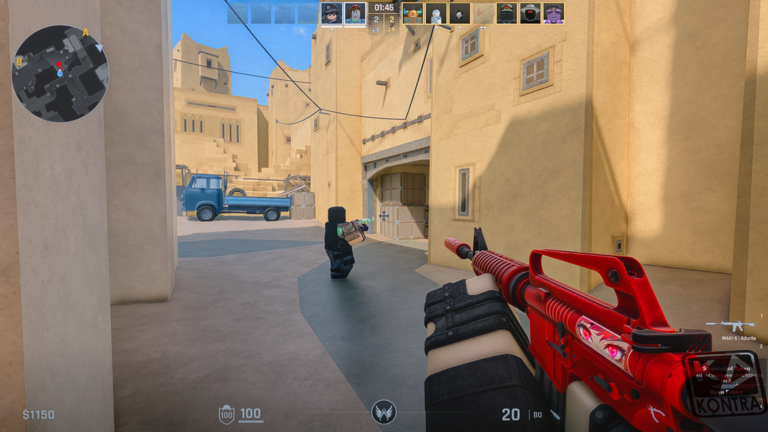
Community scripts for Kontra focus on combat helpers (aim assist, silent aim, triggerbot), visuals (ESP, wall indicators), movement assists, and cosmetic tools such as skin changers. This hub summarizes what players commonly look for, how loadstrings are used with executors, and the real risks to your Roblox account. Nothing here is an official blackcatsisreal tool. If you only care about fair play, skip to guides and the tier list instead.
Kontra’s Early Alpha anti-cheat continues to evolve. Scripts that worked last week can break after a patch — check updates and expect sudden detections. Using third-party executors always carries ban and malware risk.
Common script feature categories
| Category | Typical features | Notes |
|---|---|---|
| Legit combat | Aim assist, FOV circle, light triggerbot | Lower profile, still against fair play |
| Rage combat | Silent aim, rage bot, no spread | High detection risk |
| Visuals | ESP boxes, names, distances, team check | Often bundled with aim tools |
| Movement | Bhop assists, speed helpers | May conflict with native movement |
| Skins | Skin changer / inventory visuals | Client-side flex only |
Popular community script names circulating for Kontra include universal aim+ESP hubs, AXION-style silent aim packs, CattoWare-style wallhack bundles, OCTOHOOK mobile-oriented hubs, and moon.lua-style HvH menus with triggerbot and recoil control. Feature lists change rapidly; always read the uploader’s latest notes before running anything.
How players typically run a script
- Launch Roblox and join a Kontra server.
- Open a compatible executor (community lists mention options such as Madium, Potassium, or Real — availability changes constantly).
- Paste a
loadstring(game:HttpGet("..."))()line from the script page. - Execute, then toggle the in-game menu (often RightShift or a custom key).
- Enable only the modules you understand; disable rage options if you want fewer instant reports.
If a script demands a key system, Discord login, or strange executable download, treat it as elevated risk.
Safety and account warning
- Scripts violate Roblox fair play rules and can lead to moderation actions.
- Pastebin and raw GitHub links can be swapped to malicious payloads after you bookmark them.
- “Keyless” does not mean safe — it only means no key gate.
- Never enter your Roblox password into a script UI.
- Prefer improving with movement, strategy, and maps if you want lasting skill.
Fair alternatives on this wiki
- Redeem codes for legal Kredits and knives.
- Farm cosmetics via earn Kredits.
- Practice settings from getting started.
- Follow official links for developer-approved tools and Discord news.
Related pages
Use scripts at your own risk. This wiki documents what exists because players search for it — we do not guarantee uptime, safety, or undetected status.
Frequently Asked Questions
Quick answers for Kontra players.
Are Kontra scripts allowed?
No. Third-party cheats violate Roblox rules and can result in account penalties. This page is informational.
What features are most common?
ESP, aim assist or silent aim, triggerbot, and occasional skin changers are the most requested modules.
Why did my script stop working?
Early Alpha updates, anti-cheat changes, or dead host links break scripts often. Re-check after patches on the Updates hub.
Is there a safe official script?
No official cheat script exists. Use in-game settings, training maps, and guides for legitimate improvement.