
Best Kontra Settings & Crosshair
Import CS sens, lock a clean crosshair, and raise FPS before your next Dust 2 queue.
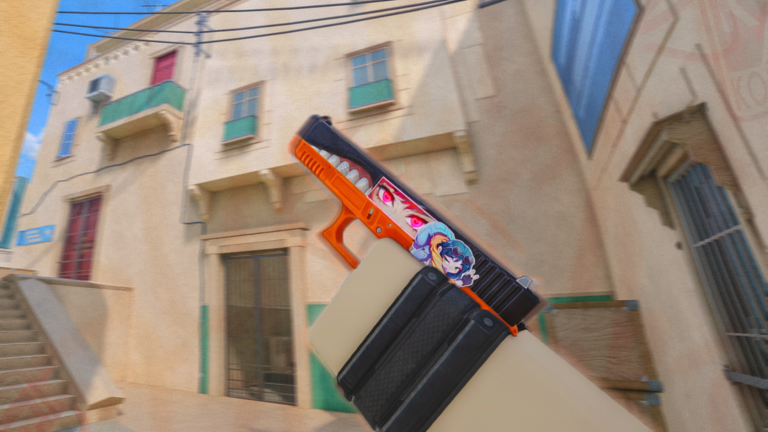
Kontra rewards players who treat settings like warm-up, not an afterthought. The Early Alpha build from blackcatsisreal ships CS-inspired menus, a direct Counter-Strike sensitivity importer, deep crosshair controls, and map/graphics toggles that can double frame rate on weaker PCs. This guide is the dedicated settings checklist — pair it with movement & controls for bhop drills and getting started for the first-hour lobby path.
Kontra is a Roblox tactical shooter with Attackers-versus-Defenders bomb rounds on Dust 2 and Vertigo. Stable FPS, readable crosshairs, and familiar mouse feel win more duels than flashy skins. Redeem codes while you tune settings so playtime gates tick during setup.
Sensitivity and mouse feel
- Open Settings from the Kontra lobby.
- Open the Controls / sensitivity section.
- Use the Counter-Strike sensitivity import field if you already have a CS2 or CS:GO sens — paste the raw value instead of guessing Roblox slider conversions.
- Confirm DPI on your mouse software stays fixed while you test. Changing DPI and in-game sens together makes muscle memory drift.
- Play two Deathmatch or casual rounds focusing only on flicks to common angles before you tweak again.
If you never played CS, start mid-range (not max sens). Lower sens improves first-bullet rifle control on Dust 2 Long; higher sens helps Vertigo close swings. Revisit after you finish the maps guide.
Crosshair setup that stays readable
Kontra’s crosshair suite is unusually deep for a Roblox FPS. Prioritize clarity over novelty:
- Prefer a static crosshair while learning spray patterns.
- High contrast colors (cyan, green, white) against dusty map tones.
- Enable or disable the center dot based on preference — many riflers keep a small gap with no thick outlines.
- Length, thickness, and gap should stay thin enough that heads on mid are not covered.
- Optional dynamic / recoil-following modes are useful later; beginners often spray more accurately with static sights.
Test your crosshair on the Movement Map and then on Vertigo ladders where vertical tracking matters. The mid-page video walks through how large Kontra’s settings surface really is — use it as a visual tour, then lock values you can remember.
Graphics, FOV, viewmodel, and max FPS
Competitive players usually sacrifice cosmetics for clarity:
- Cap shadows, particles, and expensive lighting first if FPS dips under ~60 during mid fights.
- Use any map optimization / low-detail toggle the client exposes when Dust 2 feels heavy.
- Disable camera shake, heavy screen punch, or flashy damage overlays if they hide enemies.
- Tune FOV / camera aspect so peripheral vision feels natural without fish-eye distortion.
- Slim viewmodel size if the gun blocks right-side peeks.
- Keep radar and HUD opacity high enough to read bomb timers and teammate dots instantly.
For a second community pass focused purely on Fishstrap / Roblox client FPS stacks, also skim movement & controls, which embeds a max-FPS oriented walkthrough.
Keybinds worth confirming
Before ranked:
- Walk / silent step
- Crouch
- Jump (and any auto-bhop toggle if present)
- Plant / defuse
- Weapon slots and quick knife
- Scoreboard and buy menu
Rebind anything that fights Roblox’s default Shift-lock habits. Muscle memory from Counter Blox transfers unevenly — Kontra’s CS2-style menus are closer to modern CS than older Roblox CS clones. See Kontra vs Counter Blox if you are migrating.
Settings checklist before every session
- Confirm sens import still matches your notes after patches (updates).
- Verify crosshair color against the map you queue first.
- Cap FPS-killing effects if you changed devices.
- Redeem new codes while waiting in lobby.
- Warm up 5–10 minutes with Deathmatch or the Movement Map before bomb rounds.
Related pages
Lock settings for a week before another overhaul. Consistency beats constant tinkering in Early Alpha.
Frequently Asked Questions
Quick answers for Kontra players.
Can Kontra import Counter-Strike sensitivity?
Yes. The settings menu includes a field to paste CS sensitivity values so you keep familiar mouse feel.
Should beginners use a dynamic crosshair?
Start static. Add recoil-following or dynamic expansion only after you understand spray patterns on your main rifles.
What settings raise FPS the most?
Lower shadows, particles, and map detail first. Stable frame time matters more than max cosmetics quality in duels.
Do skins change how settings feel?
No. Skins are cosmetic. Viewmodel size and FOV affect visibility more than skin rarity.